
I noticed how quickly a simple spreadsheet can become the center of an employee scheduling routine. At first, it feels practical: enter names, add shifts, color-code the week, and send the file around. Then availability changes, someone calls out, a manager edits a cell, and several people are working from different versions. The difference becomes especially obvious when managers are juggling several locations, changing availability, and frequent requests throughout the week with little warning.
I realized the real problem is not that spreadsheets are incapable of creating schedules. They can. The trouble starts when scheduling becomes a moving process instead of a document. Modern alternatives to spreadsheet employee scheduling are designed around that reality, giving managers tools for changes, communication, availability, and automation without rebuilding the schedule every time something shifts.
Why Spreadsheets Start Breaking Down
A spreadsheet works reasonably well when a team is small, schedules rarely change, and one person controls the file. That setup becomes harder as the workforce grows.
Employees may have different availability, recurring commitments, time-off requests, or preferred shifts. Managers also need to account for coverage, overtime, costs, and absences. A spreadsheet can record those details, but rarely act on them.
The biggest weakness is the amount of manual coordination involved. A manager may update a shift, message an employee, revise another cell, resend the file, and check whether everyone saw the change. One adjustment can create several administrative tasks.
That is where dedicated scheduling technology starts making sense. Instead of treating the schedule as a static grid, these systems treat it as an active workplace tool.
Modern Alternatives to Spreadsheet Employee Scheduling

The most common replacement is dedicated employee scheduling software. These platforms combine shift planning, availability, time-off requests, notifications, and schedule changes.
For teams that depend on phones, a mobile-first approach can be useful. Mobile-first employee scheduling software lets employees check shifts, submit availability, request time off, and respond to changes without waiting for another file.
Some platforms specialize in particular industries. Restaurant teams may need features built around variable demand, roles, and coverage. A service business may care more about recurring schedules, field employees, and simple communication. Larger organizations may need multi-location controls and payroll or time tracking.
Another alternative is workforce management software. These systems go beyond assigning shifts. They can connect schedules with attendance, labor data, payroll processes, and staffing requirements. That helps when scheduling is one part of a larger workforce operation.
Automation Changes the Daily Work
Automation is a major difference between spreadsheets and modern scheduling software.
Managers can use rules based on availability, roles, working hours, qualifications, or staffing requirements. Recurring shifts can be reused, and conflicts flagged before employees see the schedule.
Some platforms now include AI-assisted scheduling. The practical value is not simply having AI attached to a product. It is reducing repetitive decisions that consume a manager’s time. AI tools for reducing manual scheduling work can organize availability, suggest assignments, identify coverage problems, and speed up scheduling.
The level of automation varies considerably. Some tools rely mostly on templates and rules, while more advanced systems can incorporate demand forecasts or labor requirements. Managers still need oversight because staffing decisions involve context software may not understand.
Employee Communication Becomes Part of the Schedule
A schedule only works when employees can see and act on it.
Modern systems can send notifications when shifts are published or changed. Employees may request time off, volunteer for open shifts, or swap shifts according to company rules. This reduces the need to coordinate minor changes through texts, email, or group chats.
That creates a clearer record. Instead of searching conversations for who agreed to cover a shift, managers can see the request and approval in the scheduling system.
Mobile access matters for hourly and frontline workers who may not sit at a desk. A phone-based schedule is easier to check between tasks than a spreadsheet on a shared computer.
Scheduling Can Connect With Time and Labor Data
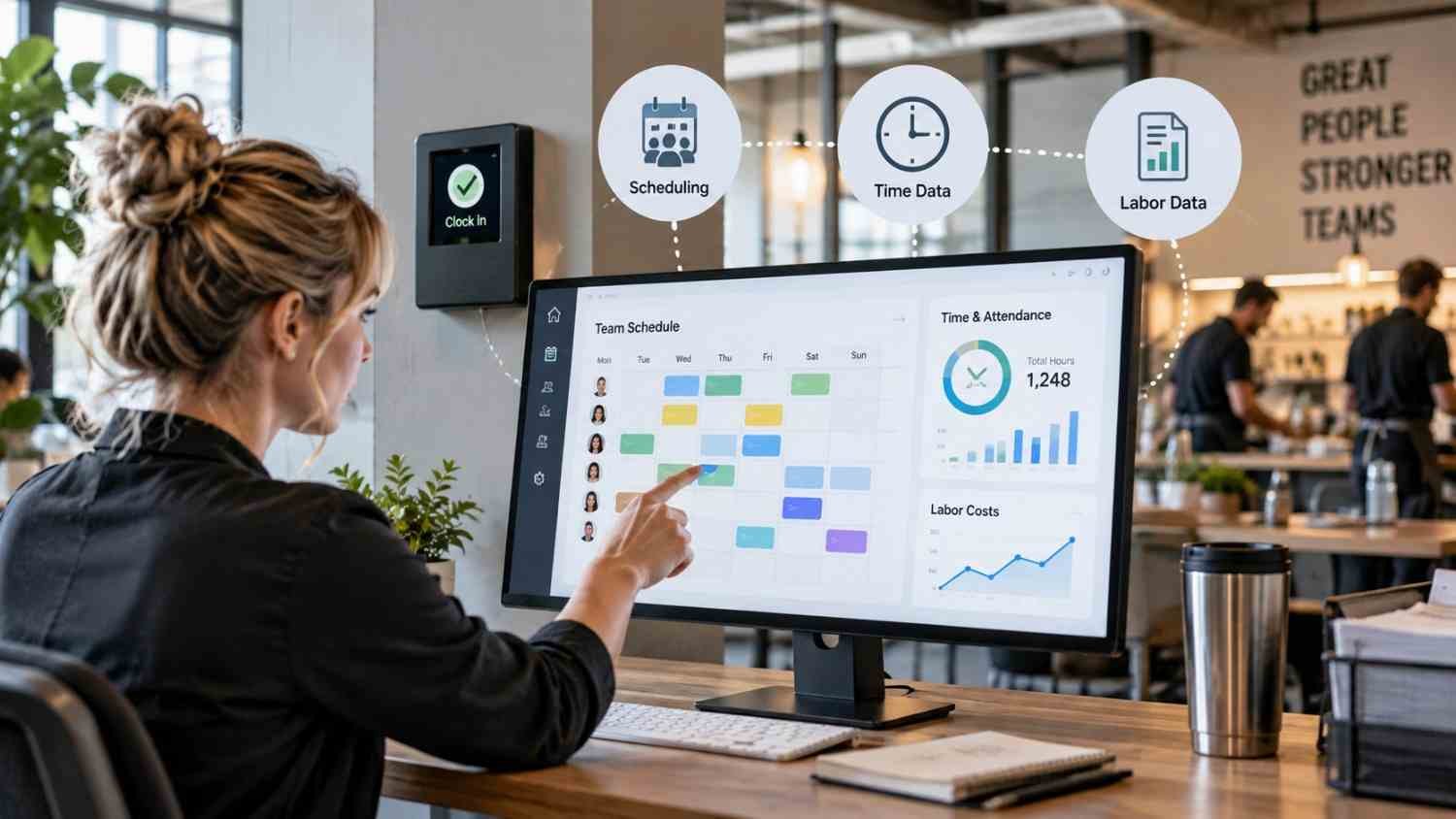
Scheduling alternatives become more valuable when they connect with other workforce systems.
Time tracking can show whether scheduled hours match actual hours worked. Payroll integrations can reduce duplicate entry. Labor reporting can help spot overtime or high staffing costs. Some platforms also provide alerts about scheduling rules and potential compliance issues.
Software does not automatically guarantee legal compliance. Employment rules differ by jurisdiction and circumstances. Managers should verify requirements rather than assuming an automated warning covers every obligation.
Connected scheduling, attendance, and labor information can speed decisions and reduce administrative work.
When a Spreadsheet Still Makes Sense
Not every team needs sophisticated scheduling software.
A spreadsheet can work for a small group with stable hours, predictable availability, and few changes. It can also work while a business determines what it needs.
The warning sign is not the spreadsheet. It is the workload around it. If managers spend time correcting schedules, chasing confirmations, handling swaps, checking conflicts, or rebuilding files, the process may have outgrown its tool.
A useful evaluation should focus on the work, not the software category. Ask how often schedules change, how many people need access, how complex availability is, whether employees need mobile self-service, and whether scheduling must connect with time tracking or payroll.
FAQs: Modern Alternatives to Spreadsheet Employee Scheduling That Save Time
1. What is the best alternative to spreadsheet scheduling?
Dedicated employee scheduling software combines shift planning, availability, communication, and updates in one system.
2. Can small businesses use scheduling software?
Many platforms offer entry-level plans for smaller teams. The right choice depends on team size, complexity, and integrations.
3. Does scheduling software use AI?
Some platforms offer AI-assisted scheduling, while others rely on rules, templates, or workflows. Features vary by product.
4. Can employees change their own schedules?
Many systems let employees request time off, swap shifts, or claim open shifts. Managers can approve or restrict those actions under company policies.
The Work Behind the Schedule Matters
Moving away from a spreadsheet is not about replacing rows and columns with a newer interface. It is about removing work from a process that changes constantly. When availability, coverage, communication, and attendance live together, managers can spend less time maintaining information and more time making staffing decisions.
The right system fits the team’s actual complexity. For some businesses, that may still be a spreadsheet. For others, automation and employee self-service can turn scheduling into a more manageable daily operation.
Leave a Reply