
Nearly 30% of the American workforce has a schedule outside a regular daytime shift, according to NIOSH. For those workers, productivity is not just about getting more done per hour. It depends on having the right coverage, accurate time records, clear handoffs, and enough recovery time to work safely. Workplace productivity tools for shift workers matter most when they remove those sources of friction.
For restaurants, hospitals, warehouses, retail stores, field crews, and other hourly workplaces, the best question is not “Which app has the most features?” It is “Which recurring shift problem does this tool actually solve?”
Productivity Starts With the Schedule, Not the Stopwatch
A weak schedule can erase the benefits of a good task app. CDC says work-related fatigue can reduce attention, slow reaction time, affect short-term memory, and impair judgment. OSHA also warns that long hours and irregular shifts can contribute to fatigue and safety risks.
That is why the first software layer for most shift teams should handle scheduling, availability, time-off, shift changes, and timekeeping. Mobile access also matters: workers need to see changes quickly without relying on paper schedules or scattered group texts.
For deeper background, see the CDC guidance on fatigue and work and OSHA worker-fatigue guidance.
Seven Tools That Solve Different Shift-Work Problems
No platform fits every workplace. The useful comparison is what each one does best.
| Tool | Strongest use | Best fit |
| Sling | Scheduling, time-off, messaging, time clock, labor-cost visibility | Small and midsize hourly teams |
| Deputy | Demand forecasting, scheduling, timekeeping, break and overtime controls | Retail, hospitality, healthcare, multi-location teams |
| Connecteam | GPS-enabled time tracking, checklists, forms, tasks, chat | Deskless and field teams |
| When I Work | Scheduling, shift coverage, swaps, confirmations | Teams needing simple employee self-service |
| Homebase | Scheduling, time tracking, timesheets, messaging, labor alerts | Smaller local businesses |
| Toggl Track | Individual time and task tracking | Workers or teams analyzing where time goes |
| ClickUp | Tasks, notes, checklists, comments, mobile workflows | Teams that already have scheduling covered |
Sling combines scheduling with communication, task management, clock-in tools, and labor-cost tracking. Deputy adds demand forecasting and compliance-oriented features such as break planning, overtime alerts, and fair-workweek support. Connecteam is built around non-desk work, combining scheduling and GPS-enabled time tracking with forms, checklists, tasks, and chat.
When I Work supports shift swaps and manager controls over coverage changes. Homebase links scheduling with shift swaps, time tracking, labor alerts, and messaging; its current free timesheet offering is limited to up to 10 employees at one location, so pricing and plan limits should always be rechecked before adoption.
Toggl Track and ClickUp solve a different problem. Toggl helps workers log time against tasks and projects. ClickUp supports mobile tasks, notes, comments, checklists, and tracked time. Both can improve workflow, but neither should automatically be treated as a replacement for employer scheduling and wage-hour systems.
Use This Five-Question Test Before Choosing a Tool
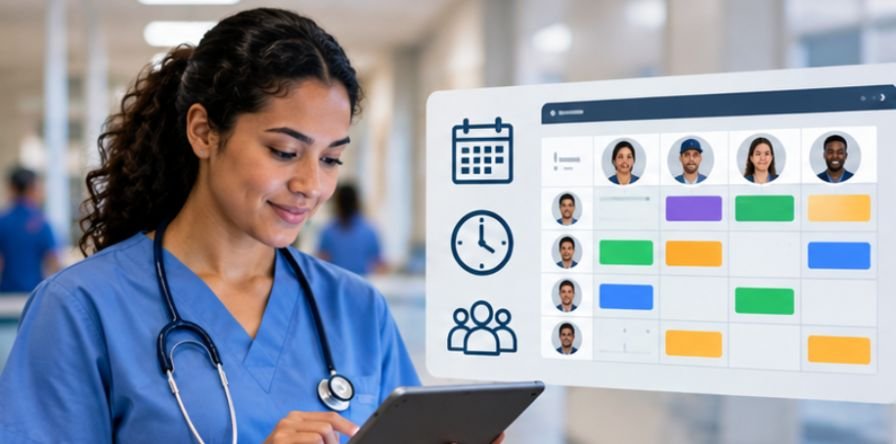
First, can an employee understand the next shift in under 30 seconds? Start time, location, role, changes, and essential instructions should be obvious.
Second, can a manager fill a callout without rebuilding the schedule manually? Open shifts, availability filters, swap requests, and approval rules are especially valuable in workplaces where plans change daily.
Third, does the time record match payroll reality? The U.S. Department of Labor allows employers to choose their timekeeping method, but records must still be complete and accurate. A system that creates frequent corrections is not improving productivity. See the Department of Labor FLSA recordkeeping guidance.
Fourth, does the tool support work during the shift? Cleaning teams may need checklists; maintenance crews may need assigned tasks and photos; healthcare and hospitality teams may need clean handoffs and rapid updates.
Fifth, does it collect more worker data than the job requires? GPS can be useful for mobile crews, but location and activity tracking should have a clear operational purpose, defined access, and sensible retention rules.
Productivity Software Cannot Fix Fatigue
This is the limitation many software comparisons miss. Scheduling software can flag overtime or coverage gaps, but it cannot turn an exhausted employee into a fully alert one.
Harvard Health notes that night and rotating work can misalign work hours with the body’s circadian rhythm. The National Safety Council recommends predictable schedules, adequate recovery between shifts, worker input where feasible, and frequent breaks as practical fatigue controls.
Those findings change how managers should use workplace software. The goal should not be to squeeze every available hour from the schedule. It should be to create dependable coverage without repeatedly relying on long shifts or last-minute overtime.
Managers can also review how to prevent employee schedule fatigue when designing schedules that provide adequate recovery time and reduce avoidable fatigue risks.
Useful references include Harvard Health’s shift-work overview and the National Safety Council’s employer fatigue recommendations.
Measure Friction Before and After Rollout

Do not judge a new platform by logins or app activity. Measure what it removes.
For four weeks before rollout, record manager time spent editing schedules, unfilled shifts, missed clock-ins, payroll corrections, overtime hours, incomplete shift tasks, and routine schedule-related messages.
Track the same measures for four weeks after launch. A standard operating procedures template for shift handovers can also help standardize shift transitions and make it easier to measure whether fewer details are missed between teams. Track the same measures for four weeks after launch.
A useful tool should reduce avoidable interruptions, improve payroll accuracy, shorten coverage time, and make task completion easier to verify. If the numbers do not improve, the problem may be the process, the configuration, or simply the wrong software.
Two Mistakes That Make Tool Stacks Worse

The first is buying more software than the workplace needs. A small café may benefit more from reliable scheduling and timesheets than sophisticated forecasting. A multi-site operation, however, may genuinely need demand planning and compliance controls.
A clear onboarding checklist for high turnover service industries can also help teams introduce new employees consistently without adding unnecessary complexity to the tool stack.
The second is app overload. If workers need separate apps for schedules, clock-ins, tasks, and messages, the productivity stack can become another source of friction. Integration and simplicity matter as much as feature count.
Frequently Asked Questions
1. What is the most important feature in workplace productivity tools for shift workers?
Reliable scheduling. Workers should be able to see shifts, availability, changes, and coverage information quickly before advanced analytics are added.
2. Are GPS time clocks necessary for shift workers?
Only when location is operationally relevant, such as field service or mobile crews. Tracking should be limited to a clear business need and supported by transparent policies.
3. Can a personal productivity app replace scheduling software?
Usually not. Personal time trackers and task apps can improve focus, but employer scheduling, coverage, payroll, and compliance needs generally require a multi-user workforce platform.
4. How can a company tell if a new tool improves productivity?
Compare schedule-edit time, open shifts, overtime, payroll corrections, missed tasks, and manager coordination time before and after rollout.
Final Takeaway
The strongest workplace productivity tools for shift workers do not simply push people to work faster. They make the shift easier to run. Good software reduces scheduling confusion, creates cleaner time records, improves handoffs, and gives managers earlier warning when coverage or overtime is drifting off course.
It should also support sensible scheduling rather than turning fatigue into another metric to watch. Start with the recurring problem that costs the team the most time, choose the smallest toolset that fixes it, and then measure whether that friction actually falls.
Leave a Reply