
I’ve noticed that staffing plans can look perfectly reasonable when they are created, then become outdated within hours. A busy lunch period, an unexpected absence, or a sudden change in customer traffic can turn a carefully built schedule into a problem that needs immediate attention. That gap between planning and reality is where responsive scheduling starts to make practical sense.
I’ve also found that the biggest scheduling challenge is rarely creating the first version. The harder part is keeping it useful when conditions change. Demand responsive scheduling software approaches that problem differently by using current workforce and operational information to help managers adjust coverage, assignments, and staffing decisions as the day develops.
Why Fixed Schedules Struggle With Change
Traditional scheduling often depends on historical patterns, manager experience, and forecasts made before the workday begins. Those inputs still have value, but they cannot account for every variable. A store may suddenly become busier, a contact center may receive an unusual call volume, or an employee may call out shortly before a shift.
Demand-responsive scheduling treats the schedule as something that can evolve. The initial plan remains important, but software can compare it with new information and identify where coverage no longer matches demand.
How Demand-Responsive Scheduling Software Adapts
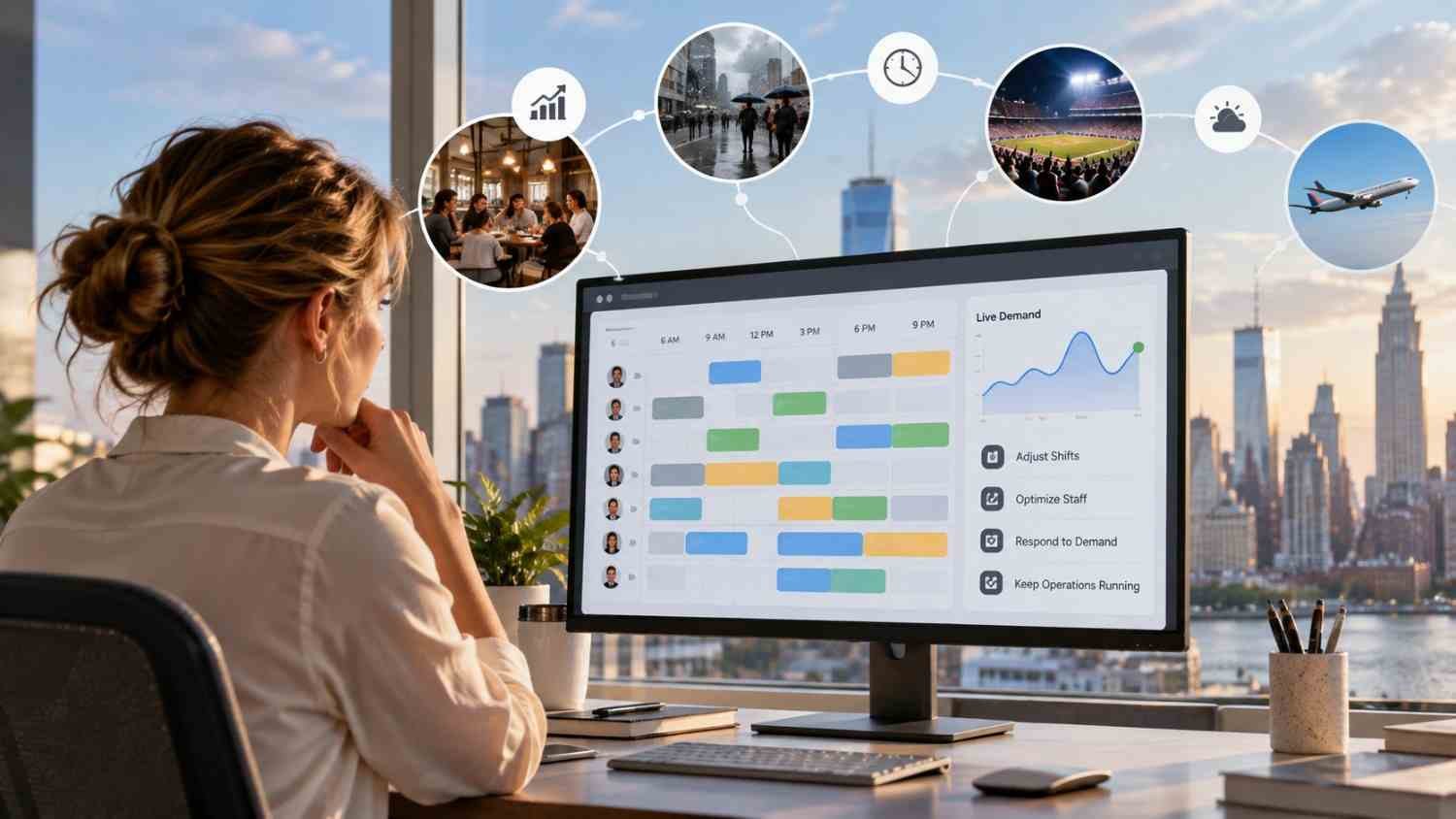
The process usually starts before employees arrive. Scheduling systems can analyze historical sales, customer traffic, workload patterns, seasonality, and other operational signals to estimate how much labor may be needed at different times.
That forecast can create a baseline schedule, but forecasting is only one part of the process. As actual conditions emerge, current data can provide a more useful picture of what is happening. A manager might see that demand is running above expectations during a particular period and decide that additional coverage is needed.
The software can then help identify available employees who have the appropriate skills and can work within scheduling rules. Recommendations may account for availability, preferences, scheduled hours, overtime exposure, and required qualifications. This reduces the need to search through multiple spreadsheets or messages before making a change.
Real-Time Data Keeps Decisions Current
A responsive schedule becomes more useful when it is connected to information that changes throughout the day. Sales transactions, customer volume, attendance, workload, and other operational signals can reveal differences between the forecast and reality.
This is where how real time workforce data improves employee scheduling decisions becomes especially relevant. Instead of asking only what usually happens at a certain hour, managers can consider what is happening now and compare it with the staffing plan.
That distinction can prevent two common problems. Too few employees can create long waits, missed work, and pressure on the team. Too many employees can increase labor costs without creating equivalent value. Better visibility helps managers make adjustments based on current conditions rather than assumptions alone.
Handling Last-Minute Employee Callouts
Unexpected absences are one of the clearest tests of a scheduling process. Calling several employees, waiting for replies, checking qualifications, and updating the schedule manually can take far longer than the original task.
With workforce software for managing last minute employee callouts, managers can identify people who are available and suitable for an open shift more quickly. Some systems also support mobile shift marketplaces, allowing eligible employees to claim or trade open shifts according to configured rules.
Automation does not remove the manager from the process. Instead, it reduces the administrative search involved in finding possible replacements. The manager can review the available options, make the decision, and communicate the change through the same system.
Communication Matters When Plans Move

A schedule adjustment only helps if the people affected know about it. Modern scheduling platforms can send notifications when shifts are changed, reassigned, accepted, or opened for coverage.
That creates a clearer communication loop. Employees can see updates through a mobile device instead of relying on a chain of calls or messages. Managers also have a central record of the current schedule, reducing the chance that one person is working from an outdated version.
Compliance Still Has to Keep Up
Flexibility cannot come at the expense of scheduling rules. A useful system needs to consider constraints such as employee availability, maximum hours, overtime, required rest periods, qualifications, and applicable workplace regulations.
When these rules are built into scheduling logic, managers can make changes with greater visibility into potential conflicts. That makes each adjustment easier to review before it reaches employees.
What Businesses Should Look For
The most useful platforms are not necessarily those with the longest feature lists. Businesses should look at whether the system can connect demand signals with workforce information and make those insights practical for managers.
Key capabilities may include:
- Demand forecasting that uses relevant operational data
- Real-time schedule visibility and adjustment tools
- Availability, skills, and qualification matching
- Automated notifications and employee self-service
- Overtime and labor-rule monitoring
- Reporting that helps managers understand staffing patterns
The important question is how these capabilities work together. A forecasting tool that cannot support quick adjustments may leave managers with the same problem. Likewise, automated scheduling without reliable workforce data can produce recommendations that look efficient on paper but do not fit the real operation.
FAQs: How Demand Responsive Scheduling Software Adapts to Change
1. What is demand responsive scheduling software?
It is scheduling technology that helps align workforce coverage with changing operational demand. It can combine forecasts, current workforce information, employee constraints, and scheduling rules to support adjustments.
2. How does it respond to sudden demand changes?
The software can compare current conditions with planned staffing levels and identify potential coverage gaps or excess capacity. Managers can then adjust assignments or add coverage based on available employees.
3. Can it handle last-minute callouts?
Many systems can help identify available and qualified employees for open shifts. Some also provide mobile shift marketplaces or automated notifications to speed up coverage.
4. Does responsive scheduling replace managers?
No. It can automate calculations, identify options, and communicate changes, while managers can retain control over approvals and operational decisions.
Why Scheduling Works Better When It Can Move
A schedule is useful because it gives people structure, but structure should not mean refusing to adapt. Customer demand changes, employees become unavailable, and operational priorities shift. A scheduling process that can absorb those changes gives managers a practical way to keep staffing aligned with what the business actually needs.
The real value is not simply automation. It is having a clearer connection between demand, workforce availability, and everyday decisions. When those pieces move together, scheduling becomes less about repairing yesterday’s plan and more about responding intelligently to today’s conditions.
Leave a Reply