
I have seen how quickly a clear work schedule can become confusing when updates are scattered across text messages, emails, and separate workplace apps. A manager changes a shift, an employee misses the message, and the team suddenly faces a coverage problem. Employee scheduling tools with two way communication solve this issue by combining shift planning with conversations, acknowledgments, availability updates, and coverage requests in one platform.
The most useful tools do more than send automated alerts. They allow employees to respond, ask questions, confirm schedules, offer shifts, and communicate directly with managers. This creates a connected scheduling process in which everyone can see both the plan and the conversations affecting it.
Why Two-Way Communication Matters in Scheduling
Traditional scheduling systems often follow a one-way process. A manager publishes a schedule, and employees receive an email or notification. If someone is unavailable or needs clarification, the conversation moves to another channel.
A two-way system keeps those responses connected to workforce operations. Employees can update their availability, request time off, claim open shifts, and seek approval for swaps without searching for a manager’s personal phone number.
This approach can reduce missed messages and prevent managers from becoming the middleman in every scheduling conversation. It also creates a clearer record of when a schedule was published, who viewed it, and whether a change was approved.
Scheduling and Communication Features to Prioritize
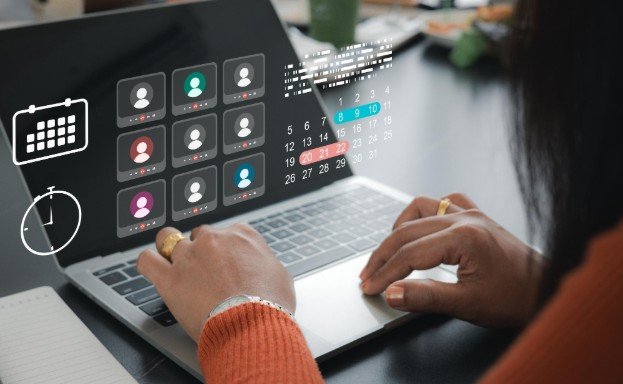
Direct and Group Messaging
A suitable platform should support private conversations between managers and employees as well as group communication for departments, locations, or shifts. Group chat is useful for daily coordination, while direct messaging protects conversations involving attendance or personal scheduling concerns.
Managers should also be able to control who can create channels and access particular conversations. These permissions become increasingly important as a company adds departments or locations.
Schedule Confirmations and Read Receipts
Sending a notification does not prove that an employee has understood a change. A real time workforce management dashboard can track schedule confirmations, allowing workers to acknowledge their assigned hours, while read receipts show whether an important update has been viewed.
These capabilities give managers an opportunity to follow up before a missed shift occurs. They can also provide a useful history when questions arise about when a change was communicated.
Availability and Time-Off Requests
Employees should be able to submit availability and leave requests through the same application that displays their schedules. Approved information should flow directly into the schedule builder, helping managers avoid assigning employees when they cannot work.
A strong system also distinguishes between recurring availability and a one-time request. This prevents a temporary restriction from being treated as a permanent scheduling preference.
Shift Swaps and Open-Shift Claims
Employee self-service can reduce the time managers spend finding replacements. Workers may offer an assigned shift, request a trade, or claim an available opening. Managers can retain final approval to prevent overtime, qualification conflicts, or inadequate coverage.
Notifications should inform everyone involved when a request is submitted, approved, declined, or changed. The published schedule must then update automatically.
Mobile Access and Notifications
Hourly and frontline employees may rarely work at a desk. A practical scheduling platform therefore needs a dependable mobile application with clear push notifications.
Businesses should test whether employees can reply from the notification, view schedules with limited connectivity, and receive urgent updates without reopening several screens. Mobile usability is not an optional convenience when the workforce operates across stores, restaurants, job sites, or care facilities.
Notable Scheduling Platforms With Communication Features

Several platforms address the combined need for scheduling and workforce communication, although their strengths differ.
Connecteam offers scheduling, time tracking, team chat, announcements, tasks, and operational forms. Its mobile-first structure can suit deskless teams that want several workplace functions in one application.
When I Work combines schedule creation, attendance tracking, shift coverage, and team messaging. Employees can view assignments, request time off, offer shifts, and communicate with managers through its mobile interface.
Homebase brings together scheduling, time clocks, staff messaging, hiring, and optional payroll capabilities. Its location-based approach may appeal to smaller hourly businesses that prefer an integrated system.
Sling provides shift scheduling, messaging, announcements, availability management, and task coordination. It can be considered by teams seeking essential scheduling and communication features without an extensive HR suite.
7shifts is designed around restaurant operations. Alongside scheduling and shift-trading capabilities, it supports team communication and restaurant-focused workforce coordination.
Microsoft Teams Shifts lets businesses using Microsoft 365 manage schedules, open shifts, time-off requests, and shift exchanges within Teams. Its primary advantage is keeping scheduling close to an existing communication environment.
Deputy provides scheduling, time tracking, availability management, compliance support, announcements, and task-related communication. It may be appropriate when labor planning and scheduling controls are more important than extensive workplace chat.
Businesses comparing employee scheduling tools with two way communication should verify which messaging capabilities are included in each plan. A product may advertise communication while restricting group channels, read receipts, announcements, or document sharing to a higher-priced tier.
How to Choose the Right Platform
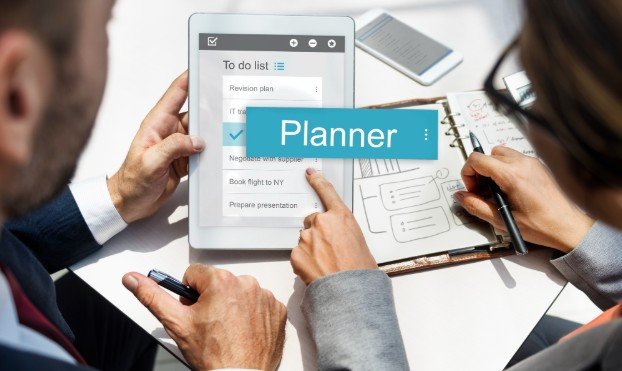
Begin with the communication problem the organization needs to solve. A restaurant may prioritize rapid shift coverage, while a field-service company may need location-based groups, photographs, and task updates. A healthcare or multi-location employer might place greater value on permissions, audit histories, qualifications, and compliance controls.
Next, calculate the full cost at the company’s expected headcount. Some providers charge per employee, while others charge by location or feature bundle. Consider whether time tracking, messaging, payroll integrations, advanced permissions, and multiple locations require separate upgrades.
The employee experience deserves equal attention. Invite a small group of managers and workers to test the mobile application. Ask them to publish a schedule, report unavailable hours, exchange a shift, locate an announcement, and confirm an update. A feature list may look impressive while the actual process remains unnecessarily complicated.
Security should also be reviewed. Businesses may need role-based permissions, multifactor authentication, controlled file access, account removal for former employees, and searchable message histories. Employees should not have to reveal personal phone numbers to participate in workplace communication.
Frequently Asked Questions
1. What are employee scheduling tools with two way communication?
Employee scheduling tools with two way communication are platforms that combine staff scheduling with reply-enabled communication. Managers can publish shifts and send updates, while employees can respond, submit availability, request leave, seek coverage, or discuss changes.
2. Is a schedule notification considered two-way communication?
Not by itself. A basic notification only delivers information. Two-way communication allows the recipient to reply, confirm the shift, request a change, or take another scheduling action.
3. Can employees exchange shifts without manager involvement?
Many platforms let employees propose or accept exchanges, but businesses can require managerial approval. This helps prevent overtime, understaffing, or assignments involving unqualified employees.
4. Which industries benefit from these tools?
Restaurants, retail stores, healthcare facilities, warehouses, hospitality businesses, construction companies, field-service teams, and other shift-based workplaces can benefit from integrated scheduling and communication.
Final Thoughts
I would choose a platform based on how well it supports actual scheduling conversations, not simply whether “messaging” appears on its feature list. Direct replies, acknowledgments, availability updates, controlled shift exchanges, mobile access, and communication records are what turn a digital calendar into a dependable coordination system.
When those functions work together, managers spend less time chasing responses, and employees gain a clearer way to participate in their schedules.
Leave a Reply